


Introducing how to replace and add a hard disk on USG6306/6308/6330/6350/6360/6370/6380/6390/6507/6530/6550/6570/6620/6630 as well as the precautions.
- Category
- Huawei Networking
- Tags
- Huawei, Enterprise Network, Security

Be the first to comment
Up Next
Autoplay
-
01:41

HUAWEI NGFW Installation Guide: Installing a 1 U USG6000 in a Cabinet
-
02:31
Huawei IP Hard Pipe Solution
-
06:45
Cisco 8800 Series Router – Replacing a Fan and Fabric card
-
03:19
Disk Space Management
-
01:41
HUAWEI NGFW Installation Guide: Installing a 3 U USG6000 in a Cabinet
-
02:11
Smart Policy Technology of HUAWEI NGFW: Easy Security Management
-
00:31
Intel-Powered 2in1 Devices: Work Hard, Play Hard | Intel
-
01:53
HUAWEI NGFW Installation Guide: Installing or Replacing an Expansion Card on a 1 U USG6000
-
02:48
HUAWEI NGFW Installation Guide: Replacing One or Two Hard Disks on a 3 U USG6000
-
01:53
HUAWEI NGFW Installation Guide: Installing or Replacing an Expansion Card on a 3 U USG6000
-
00:48

Fortinet at Mobile World Congress 2024 | MWC24
-
00:16

Enseignants, Choisissez le Bon PC: Intel4Education | Intel
-
00:34
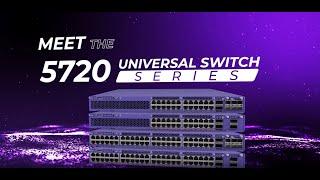
Meet the 5720 Universal Switch
-
01:26

Enable and Collect Webex Directory Connector Logs
-
01:18

Introducing Vatche Varvarian - Innovation Lead